


mySugr - Diabetes Tracker Log
4.513.32K Reviews
App Specs
- Version
- 3.158.0
- Updated On
- License
- Free
- Downloads
- 5,000,000+
- Developer
- mySugr GmbH
- Categories
- Medical
- Platform
- Android, iOS
Screenshots
 Analysis by AppCompare
When diabetes care has to fit around meals, work, travel, and everything else in a day, recording information can start to feel like another job. I find a tracker most useful when it makes the routine easier to repeat, rather than promising to make decisions for me. mySugr - Diabetes Tracker Log is a medical app from mySugr GmbH built around that everyday record-keeping: you can enter readings and related details, and sync a compatible blood glucose device so some values arrive automatically. It is free to download, with optional in-app purchases, and is rated for Everyone.
A workable baseline for daily logging
I would start by treating the app as a logbook, not as a replacement for a care plan. Record the information you already intend to track, then use the daily overview to look back at the day without having to reconstruct it from memory. That distinction matters: a tidy record can help you notice what happened, but it does not tell you what treatment to choose or whether a reading needs urgent attention.
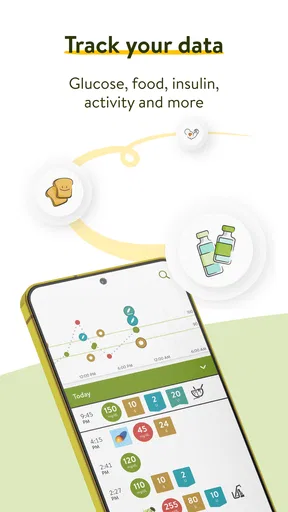
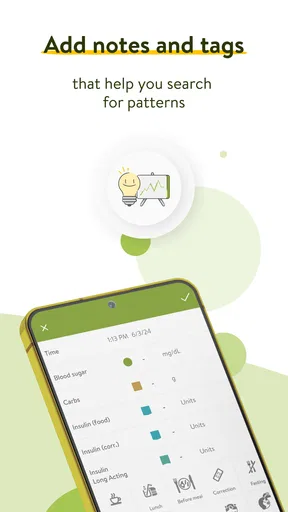
The app’s core idea is straightforward: glucose entries sit alongside details such as meals, medication, and mood. Those surrounding notes can make a record more useful later. If you are trying to understand why a particular day felt different, a reading on its own may not give you much context; a brief note about a meal or medication can help you and your clinician discuss the bigger picture. I would keep entries short and consistent rather than trying to document every detail.
Making the tracker fit your routine
My first practical recommendation is to decide what you want your log to answer before building a habit around it. Perhaps you need a reliable record to review with your care team, or perhaps you want to remember readings alongside meals and medication. A clear purpose helps prevent the app from becoming a pile of entries you rarely revisit. It also makes it easier to tell whether a feature is helping or simply adding taps.
Logging Made Easy
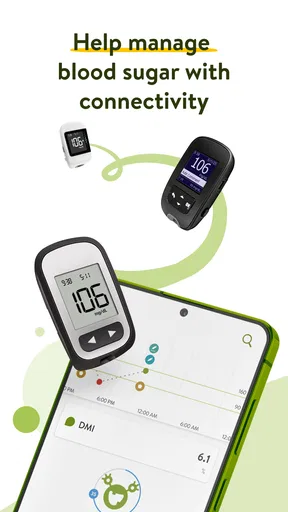
Let’s talk about the logging feature. You can easily input your blood sugar readings, and the app automatically syncs with various devices like Accu-Chek meters, which is a huge time-saver. I found it pretty intuitive; just a few taps and you’re done. Plus, it gives you a daily overview that’s easy to understand. No more flipping through pages of data trying to make sense of it all.
Automatic syncing is most valuable when it replaces a step you regularly forget or dislike. Before relying on it, check that your particular meter and phone work together as expected, then compare a synced entry with the device itself. If you use more than one way to record readings, settle on one dependable routine; duplicate or incomplete records are harder to interpret than a simple manual log. When syncing is not convenient, entering a reading yourself keeps the basic workflow available.
Personalized Insights
One of my favorite parts about this app is the personalized insights. The app analyzes your data and offers actionable feedback. It's like having a mini-coach who gives you tips on how to improve your levels or reminds you if you’re veering off track. I love how it feels like someone’s got your back, especially when you’re having one of those off days.
Worth Reading Before You Choose

Baby Panda World Brings Quick Play to Modern Phones, but Its Game Library Feels Busy

ESPN’s Live Game View Makes Following Close Games Easier

QuizzLand Review: A Good Fit for Short Trivia Breaks, Not Every Player

Basketball Stars: Multiplayer Is Fast, but Can It Recover When Matches Go Wrong?

WEBTOON Turns Phone Updates Into a Better Reading Routine

Link to Windows Runs on Shared Habits, Not Social Feeds
I would use that feedback as a prompt to reflect, not as a diagnosis or an instruction to change medication. A useful question to bring to a clinician is not simply “Was this a good day?” but “What patterns should we discuss, given my readings and notes?” That framing keeps the app in its proper role: organizing your observations so a qualified professional can help interpret them in context.
Settings worth checking before you settle in
Rather than turning on every available connection at once, I would check the settings that affect the routine you actually plan to follow. If you want device syncing, confirm the connection process for your meter and make sure you know whether a reading is being transferred or still needs to be entered. If you use Apple Health, review what information you choose to share and whether that connection suits your preferences. Connected tools can reduce repeated entry, but they also make it important to know where your records are coming from.
It is also worth thinking about how much detail you can maintain on a busy day. Logging meals, medication, mood, and readings may be useful, but a routine that is too demanding can collapse after the first hectic week. I would begin with the fields that support your immediate goal, then add more only if they help answer a real question. This is a small setup choice with a practical payoff: consistent, modest records are often more useful than ambitious logs with gaps.
The Motivational Angle
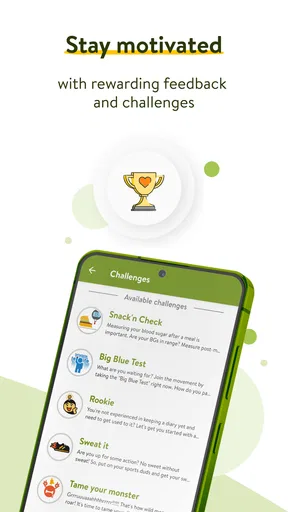
We all need a bit of motivation now and then, right? Well, mySugr has this quirky little feature called the "Monster" that adds a fun twist to logging your data. The more you log, the happier your Monster gets, which in turn gives you points and challenges to keep you engaged. It’s a small touch, but it really makes the whole experience a bit more lively.
I see the Monster as a nudge for building a repeatable habit, not a reason to chase a perfect streak. On a demanding day, I would rather make one accurate, useful entry than rush through several just to keep a reward moving. If the playful presentation makes opening the logbook feel less clinical, that is a genuine benefit; if it feels childish or distracting, it is fine to focus on the practical record instead.
Faster patterns for ordinary days
A realistic routine might look like this: after a reading you already planned to take, record it while the context is fresh; add a short meal or medication note only when it will help explain the day; then use the overview later when you have a moment to review. If a compatible device syncs the value, you can spend that saved effort on the context rather than retyping the number. This approach keeps the log connected to real life without turning every meal into a data-entry session.
For people who already use several health tools, choosing a “home” for each kind of information can also prevent clutter. The glucose log can stay focused on diabetes-related records, while a broader health app handles other tracking you already do. Integrations may make that arrangement more convenient, but I would avoid assuming that every app will display every detail in the same way. Check the actual entries after connecting services, especially before relying on them for a discussion with your clinician.
Integration and Compatibility
The app integrates seamlessly with other health apps and devices. I synced it with my Apple Health app and everything worked like a charm. It’s perfect if you’re like me and already have a bunch of health gadgets. Plus, it’s compatible with both iOS and Android, so you’re covered no matter what device you prefer.
For a new user, the useful question is less “Can it connect to something?” and more “Will this connection remove a task I currently repeat?” If a supported meter already fits your routine, syncing can make record-keeping lighter. If your device is not part of your setup, manual entry still gives you a way to use the tracker, but the app may not save you as much effort. The current version is 3.142.0, and it requires iOS 11 or later on Apple devices; I would check compatibility on the device you plan to use before building a routine around it.
Where it differs from a paper log or a general health app
Compared with a paper notebook, a phone-based log is easier to carry and can bring readings together with notes and connected-device entries. Paper may still suit someone who prefers writing by hand, wants a record that is not tied to a phone, or finds screens burdensome. A general health app can be a better fit when the main goal is to see many kinds of health information in one place. I would choose this tracker when diabetes-specific logging is the priority, rather than expecting it to replace every health tool or every conversation with a clinician.
Its standing in the category suggests that many people have found the approach useful: it has a 4.5 average from around 131,000 ratings and more than 5 million installs. That popularity is reassuring as a sign of broad use, but it cannot tell you whether its logging style suits your own needs. The app has been available since December 6, 2013, and its age rating is Everyone; neither fact changes the more personal question of whether you will actually keep using it.
Subscription Plans
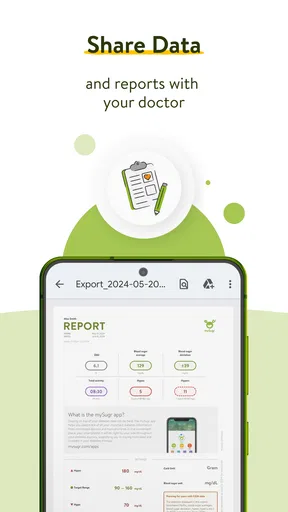
While the basic version of the app is free, they do offer a Pro version with additional features like PDF and Excel reports, which can be handy for doctor visits. I think the Pro version could be worth it if you’re looking for more detailed analysis and reports. It’s not overly expensive, and it adds that extra layer of functionality.
Before paying, I would ask whether you will use the extra reporting often enough to justify it. If you regularly prepare records for appointments, a report may save time; if you mostly need a straightforward day-to-day log, the free option may be sufficient to establish the habit first. In-app purchases range from $2.99 to $39.99 per item, so I would check the current purchase details in the app rather than assuming every paid option has the same cost or features.
Limits that matter in practice
No tracker can make incomplete entries complete, and automatic syncing does not remove the need to check that your record is accurate. A missed entry can leave a gap; a brief note added much later may not preserve the context you wanted. There is also a trade-off between detailed records and ease of use. If tracking every meal and mood feels like work, scale back to information you can maintain and discuss with your care team.
The app is not the right choice for someone looking for medical diagnosis, emergency guidance, or a substitute for professional advice. It may also be a poor fit if you dislike using a phone for health records, prefer a paper routine, or need a device connection that is not available in your setup. For those cases, a simpler notebook or a tracker already built into a device you use may be more practical than changing your habits around this one.
User Experience
Overall, the user experience is smooth and intuitive. I didn’t encounter any glitches, and the app runs seamlessly. The design is both aesthetically pleasing and functional, which is a big plus in my book. It’s clear that the developers have put a lot of thought into making it as user-friendly as possible.
In the medical category, the app has 13,000 reviews, and that gives a prospective user plenty of other experiences to consider alongside their own trial. Still, I would judge it by a week of ordinary use: can you enter or sync what matters, find the day’s record, and keep the routine manageable? If the answer is yes, the tracker is doing useful work. If you spend more time correcting, connecting, or navigating than recording, a simpler method could serve you better.
So, if you’re looking for an app that makes managing diabetes feel less like a burden and more like a team effort, mySugr - Diabetes Tracker Log is definitely worth checking out. With its easy logging, personalized insights, and motivational features, it might just be the companion you need on this journey.
Who is likely to get the most from it?
I would recommend it most to someone who wants a portable diabetes log and is willing to build a small, repeatable habit around entering or syncing readings. It is especially appealing if you already use a compatible meter, want to add context to readings, or find a playful prompt more encouraging than a bare spreadsheet. The app can also help someone prepare for a care-team conversation by making it easier to revisit recorded days instead of relying entirely on memory.
It is less compelling for a person who only wants occasional reminders, has no interest in reviewing records, or already has a trusted system that is quick and consistent. Switching tools has a cost: you may need to learn a new workflow and decide how to handle older records. I would not move everything over just because a new app looks polished. Try the basic routine first, then decide whether its device connections, overviews, and reporting make a meaningful difference to your own care.
A sensible way to judge it
My overall view is that the strongest use of this app is not collecting the most data; it is making the data you do collect easier to retrieve and discuss. Start with one dependable logging pattern, check that any connected device is recording as expected, and add detail only when it answers a question you care about. That gives the Monster and the insights a supporting role without letting them dictate your routine.
mySugr is a practical choice when you want diabetes-specific records in a phone-friendly format, but it works best as a companion to your established care rather than a substitute for it. If the habit feels natural and the log helps you have clearer conversations, keep going. If it creates friction, simplify the fields or choose a method you will use consistently. In my experience, the best tracker is the one that quietly fits into an ordinary day and leaves the medical decisions where they belong: with you and your healthcare professional.
Pros
- User-friendly interface for easy navigation.
- Comprehensive data tracking and insights.
- Syncs seamlessly with glucose meters.
- Customizable reminders for medication.
- Engaging challenges to stay motivated.
Cons
- Limited features in the free version.
- Requires internet for full functionality.
- Data export can be cumbersome.
- No food database for meal tracking.
- Occasional syncing issues reported.
FAQs for mySugr - Diabetes Tracker Log
What is mySugr and how does it help manage diabetes?
mySugr is a comprehensive diabetes management app designed to simplify your daily diabetes tasks. It allows users to log blood sugar levels, track meals, and monitor insulin doses. The app provides insights and trends, helping users understand their diabetes better and make informed decisions about their health management.
Is mySugr compatible with all devices and operating systems?
mySugr is available for both Android and iOS devices. It supports most modern smartphones and tablets. Ensure your device is running on the latest operating system for optimal performance. Check the app store for specific system requirements before downloading.
Does mySugr offer personalized diabetes management features?
Yes, mySugr offers personalized features such as customizable reminders for medication and blood sugar checks, and the ability to sync with various glucose meters. The app also provides personalized analytics and reports, which can be shared with healthcare providers for tailored advice.
Are there any subscription fees for using mySugr?
mySugr offers both a free version and a Pro version. The free version includes essential features, while the Pro version, available through a subscription, includes advanced features like PDF reports and insulin calculator. Users can choose based on their needs and budget.
How secure is mySugr in terms of data privacy?
mySugr prioritizes user data privacy and complies with GDPR and HIPAA standards. The app uses encryption to protect user data. Users can feel confident that their personal health information is kept secure and private. Always review the app’s privacy policy for detailed information on data handling.


